
Take control of early careers and levy management
Apprenticeships, graduate schemes, internships or upskilling: everything you need in one place, at the touch of a button.
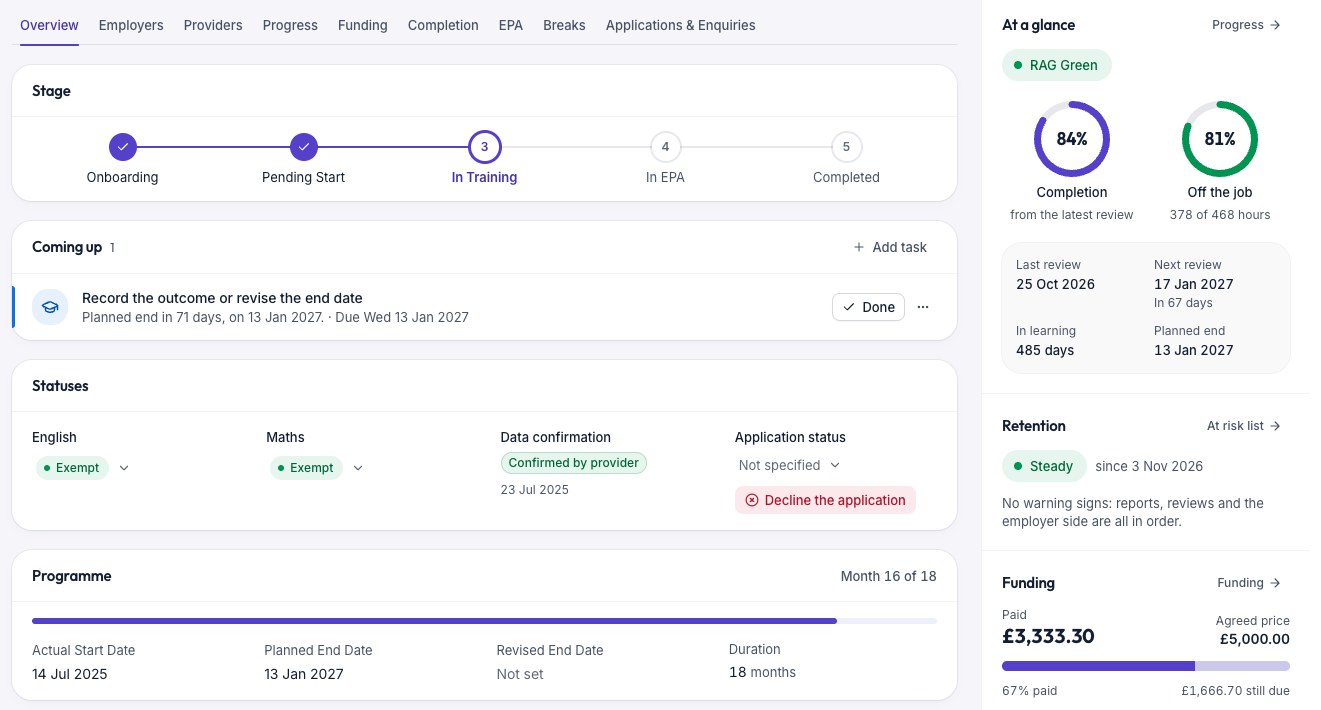
Bringing it all together
From 100 to 10,000 learners, Envelope is the scalable platform that tracks apprentices, graduates, learner progress and provider performance. Envelope enables DAS reconciliation, levy forecasting, tailored reporting and more, whenever you need it.
From the first application to the final report
Track each application through to training start
Employees, managers and external applicants can apply for a place on a programme. Once a manager approves it, you can activate it with a training provider.
Build your own online forms for internal and external applications. Each application becomes a lead that moves through your approval stages.
- Build enquiry and application forms with your own questions
- Move leads through stages on a board, or update many at one time
- Line managers approve or reject applications in their own login
- Send approved leads to a training provider, then convert them to records
- Record vacancies, applicants and outcomes



Every learner, visible at last.
Each record shows the programme, the training provider, the line manager and the important dates. Envelope sets up a record type for each programme you run, such as apprenticeships, graduate schemes, internships and upskilling.
- See the current stage, the next review and open tasks on one screen
- Keep documents, notes, emails and text messages with the record
- Add your own fields and choice lists
- Record breaks in learning, withdrawals and completions
- Import records from a spreadsheet file

Manage every training provider.
Hold each provider’s contracts, contacts and learners together. Providers use their own login to send you progress reports.
- Record contracts, contract reviews, insurance and Ofsted inspections
- Providers submit a progress report each month
- Check each report, and send a query to the provider when data is wrong
- See all learners with a provider, by department and programme
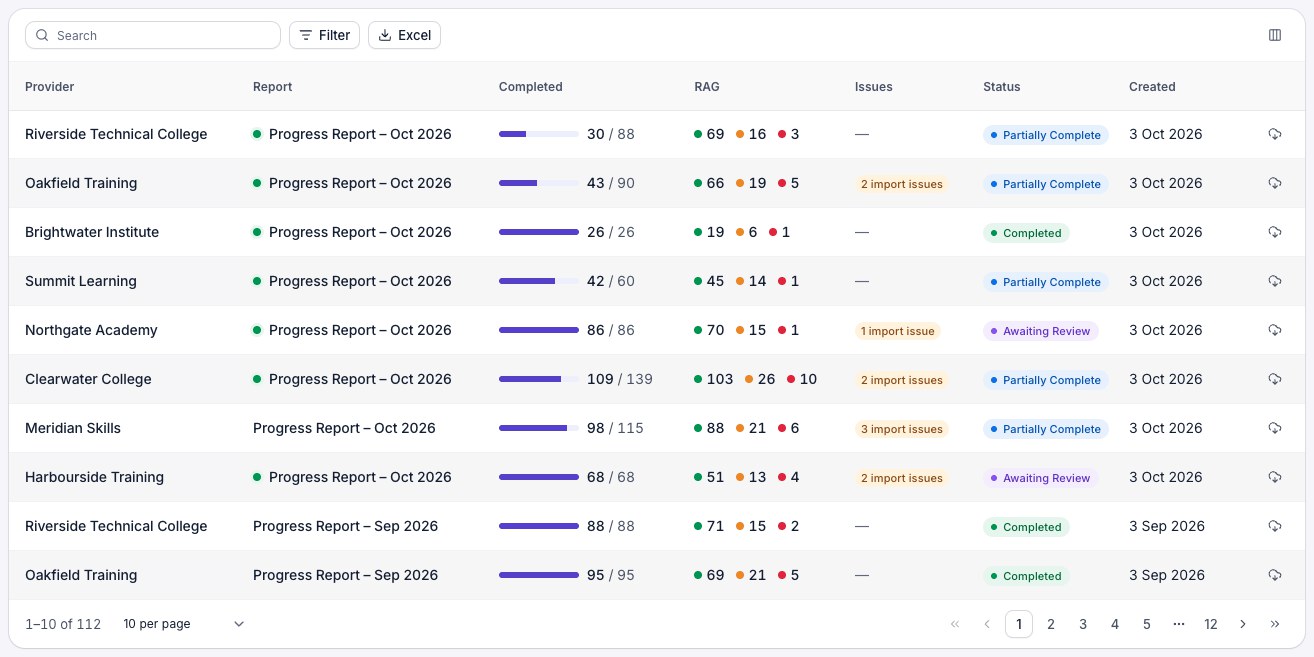
See who is on track and who needs help.
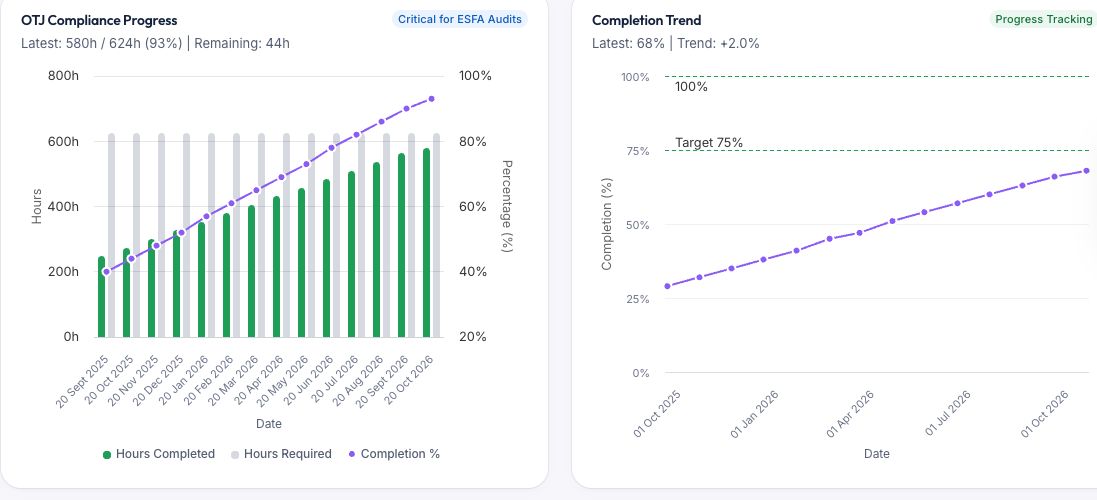
Each progress report updates the learner’s record. You see the change from month to month.
- A red, amber or green (RAG) rating for each learner, with their history
- Completion percentage and off-the-job hours against the target
- Last and next review dates
- Flags for attendance, safeguarding and support needs
- End-point assessment dates and grades for apprenticeships
- Alerts that tell you when a learner needs attention
A separate login for each role.
Each user sees only the records for their role.
Learners
See their own record and read their messages.
Line managers
Approve applications and read progress reports for their team.
Training providers
Accept leads, update records and submit progress reports.
Your central team
Set roles and permissions. Sign in with Microsoft and two-step verification.
Let Envelope do the follow-up.
Set a rule one time. Envelope then creates the task or automatically sends messages for you.
- Assign tasks with an owner and a due date, and see them on a calendar
- Create automations with triggers and conditions, and preview them before they run
- Send emails and text messages to one learner or to many
- Save email templates for regular messages
- Send surveys and review the responses
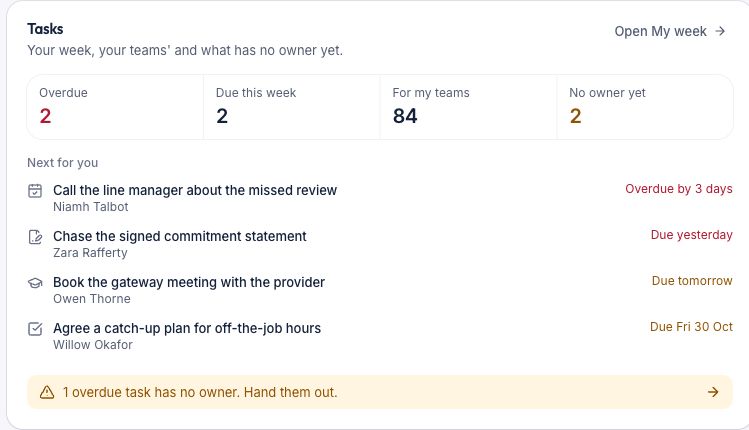
Reports that are ready to go.
Open a report, filter it and export it. No need to build it in a spreadsheet first.
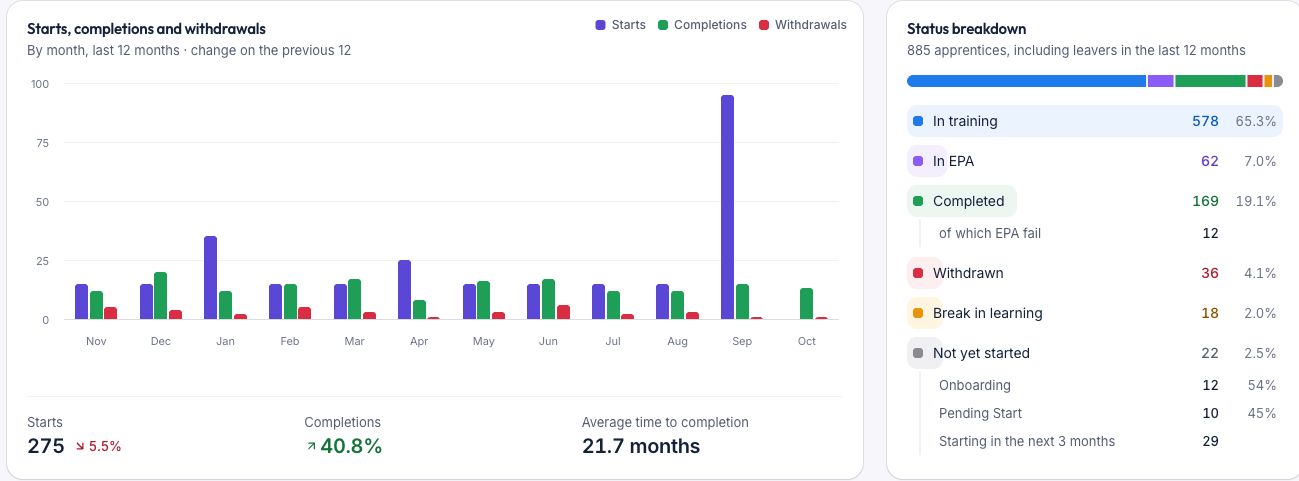
- Starts, completions, withdrawals and success rates by programme
- Progress summary, time in learning and milestone reports
- Views by provider, division and cohort
- Exports with saved settings
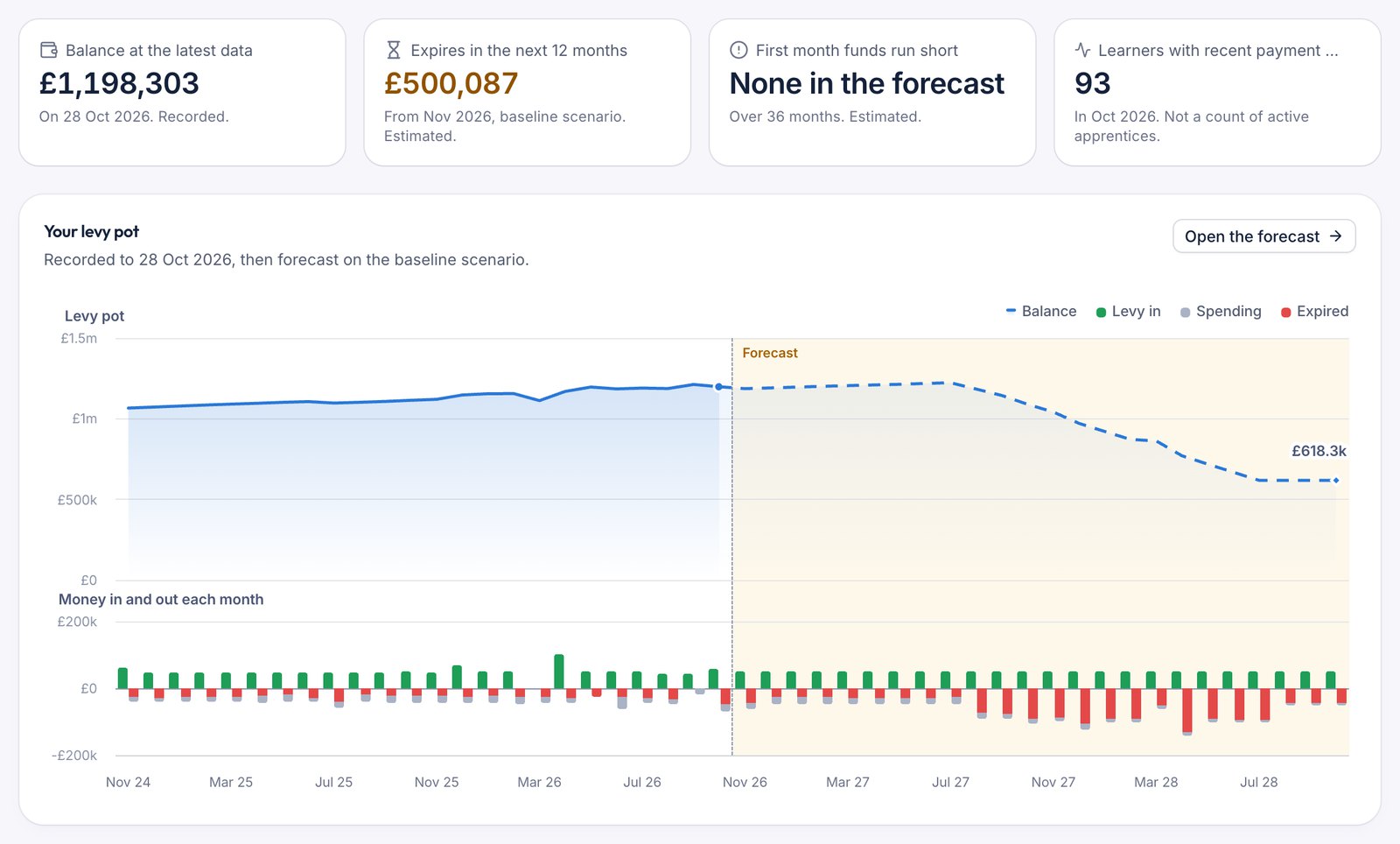
Plan your levy and check each payment.
For levy-paying employers in England. Import your data from the apprenticeship service and see where the funds go.
- Forecast your levy balance and see which funds will expire
- Compare scenarios before you commit to new starts
- Compare apprenticeship service payments with each provider’s payment schedule
- Find missing payments and differences, month by month
- Manage levy transfers to other organisations
- Report spend by provider, division and learner
Read the levy forecasting guide → Explore payment reconciliation →
Moving into Envelope from spreadsheets or another system
We’ll migrate you across from spreadsheets or from another system. We’ll map the data, test it with your team and train your users before launch.
Review existing systems, data and processes
Agree the target operating model and configuration
Prepare, map and test migration data
Train users and validate priority workflows
Launch with ongoing support and improvement
Common questions
Can one system cover apprenticeships, graduate schemes and internships?
Yes. Envelope sets up a record type for each programme you run, such as apprenticeships, graduate schemes, internships and upskilling. All learners are in the same system. Levy functions apply to apprenticeship records only.
Can we manage several training providers?
Yes. Each training provider has its own contracts, contacts and learners. You can report on all providers together or on one provider alone.
How do we forecast levy spend under the 12-month expiry?
You can model planned starts and review levy spending over time. Check the forecast assumptions, funding bands and costs outside the levy before you make a decision. Government rules depend on when funds enter the account and when an apprenticeship starts. Our forecasting guide explains the context.
Does Envelope Early Careers reconcile with the apprenticeship service?
You import your payment data from the apprenticeship service and review it against your records. Your team can investigate missing rows, inspect a learner’s funding schedule and record payment updates. The import and the investigation remain part of your team’s process.
Is it available outside England?
Yes. Organisations throughout the UK can use it. The levy and apprenticeship service functions follow the rules for England.
Does it work for NHS trusts?
Yes. Our customers include NHS organisations. We discuss your programmes, existing systems and any integration requirements during discovery.
A team that knows early careers programmes.
We built this product with an employer’s early careers team, and we still develop it with our customers. Ask us how setup works and what support your team gets.
Get a demonstration, tailored to you
Tell us about your programmes, providers, current systems and applications processes. We'll tailor the demonstration around the outcomes you want to achieve.
You will speak to someone who knows apprenticeship funding and early careers programmes.